1
Scan
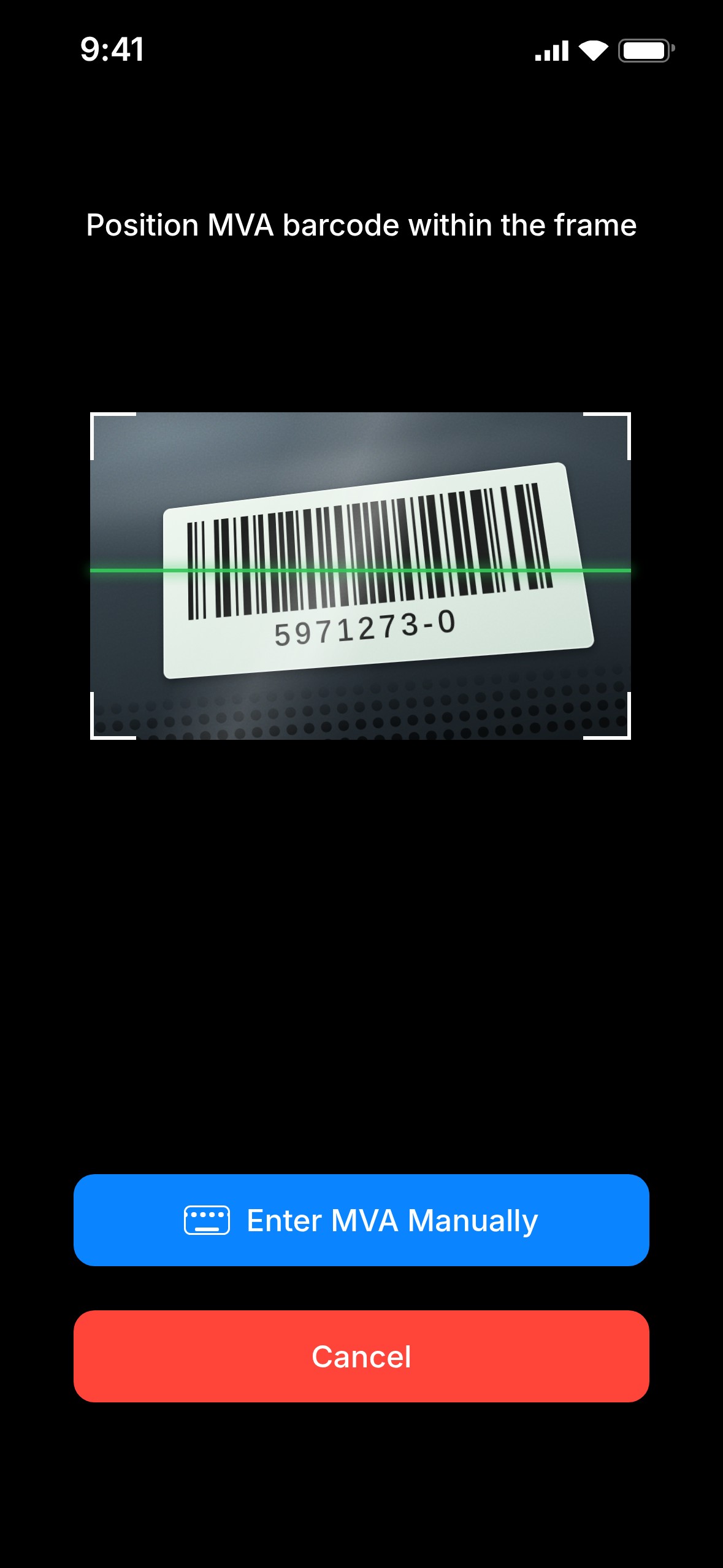
Scan the MVA barcode or enter it manually.
For car rental locations
Scan the MVA barcode, or type it in. Start shooting right away. Every report shows the MVA, date and time.

How it works
Scan the MVA barcode or enter it manually.
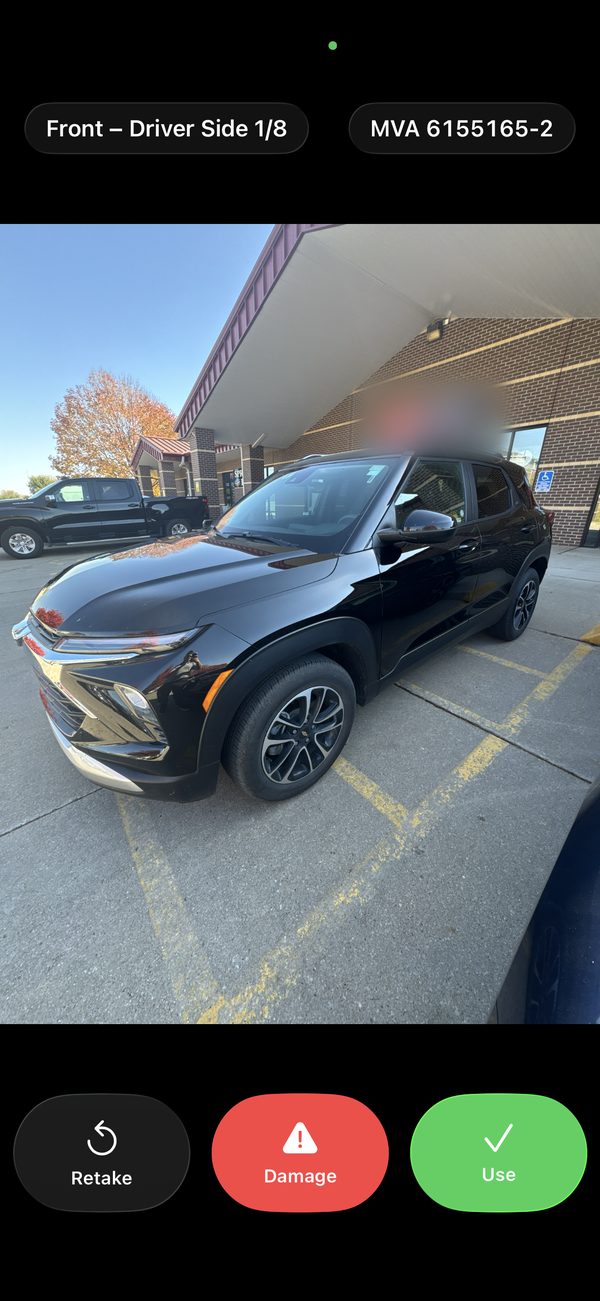
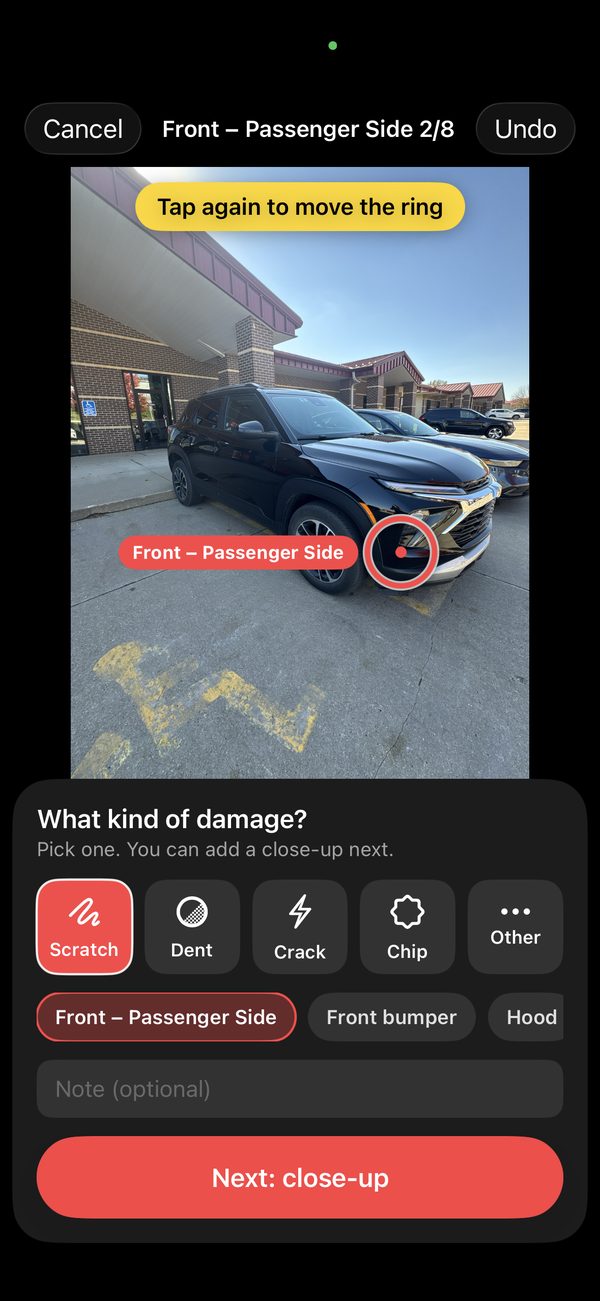
Walk around the car. Photos are tagged with the MVA and time.
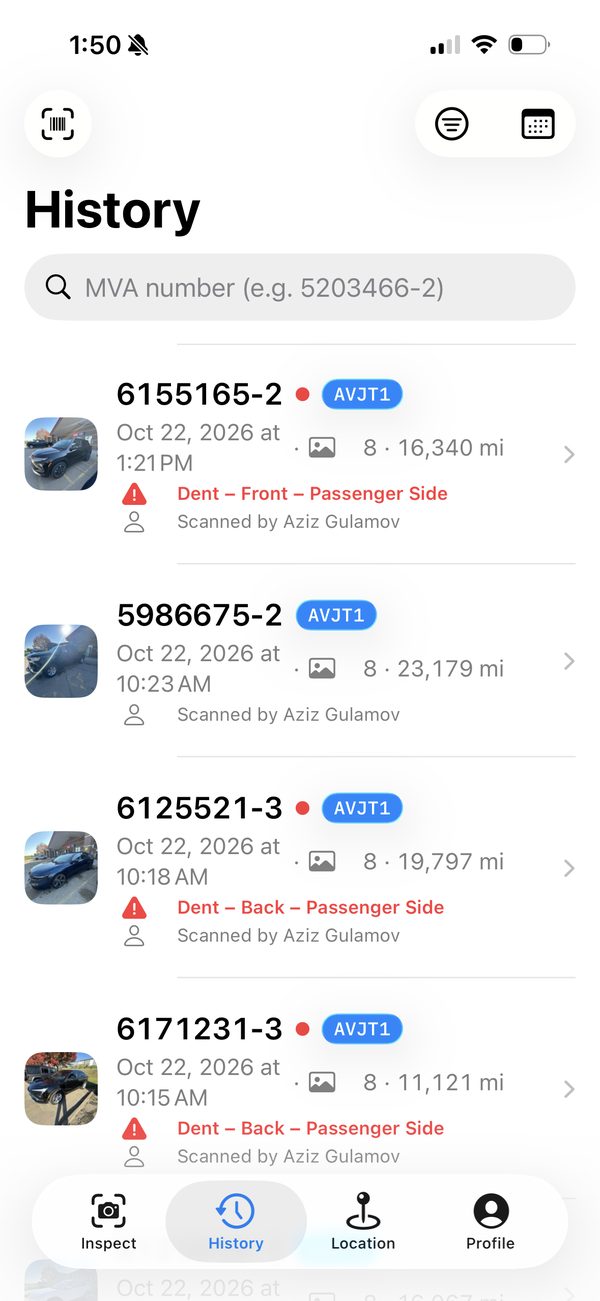
Scan the MVA again, or search by MVA, date or time.
Why photos matter
Photo history turns “it was already there” into a closed claim.
Features
When a damage dispute comes up, the photos are already there.
Point at the MVA barcode and start taking photos right away. No barcode? Type the MVA instead.
Every angle of every vehicle, saved in one place.
Photos are tagged with MVA, date and time. No typing.
Scan the MVA, or search by MVA, date or time.
Show what the car looked like, and when.
Send the walk-around PDF report by text or email in one tap. Use it as a digital walk-around, or keep it as your own proof. Reports show your location and store phone number.
See a real report
Every walk-around becomes a report like this. Text or email it to the customer as a digital walk-around, or keep it as your own proof.
Sample with example data.

Customer e-sign
Simple for the customer. A signed record for your store.
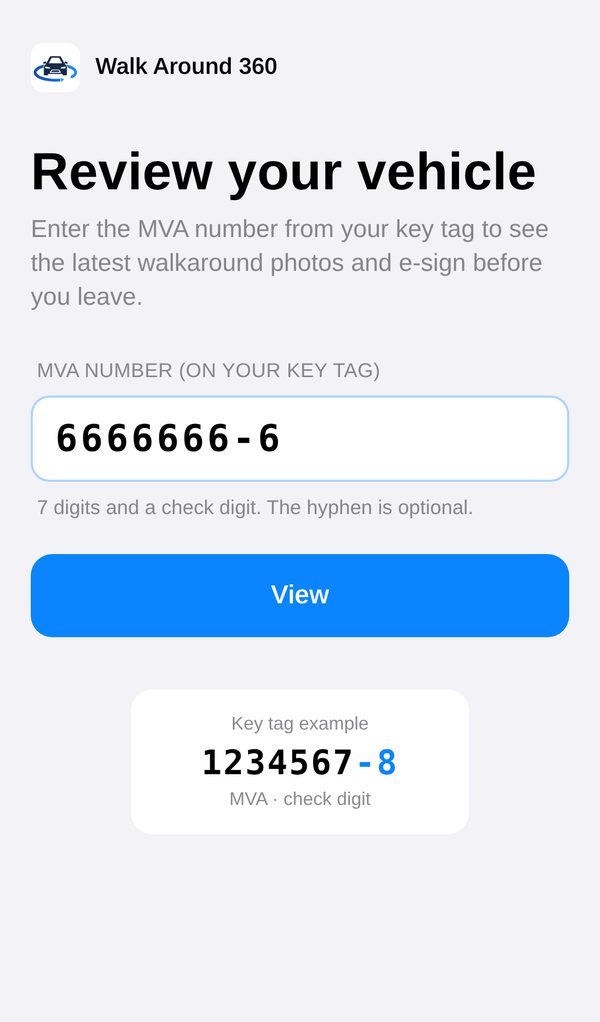
The agent does the walk-around with up to 8 photos.
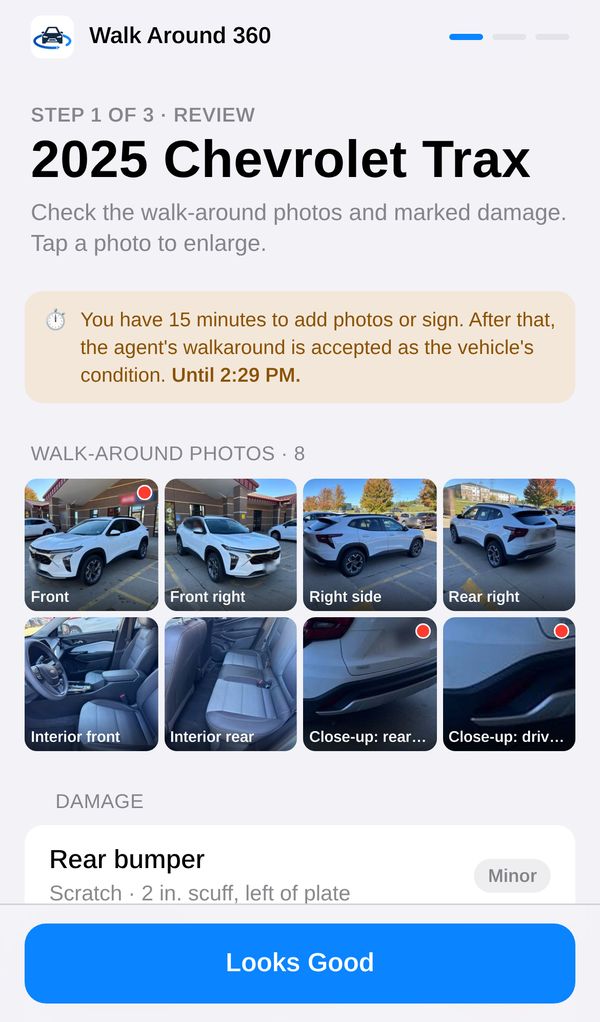
The customer scans the QR code at the counter and enters the MVA from the key tag.
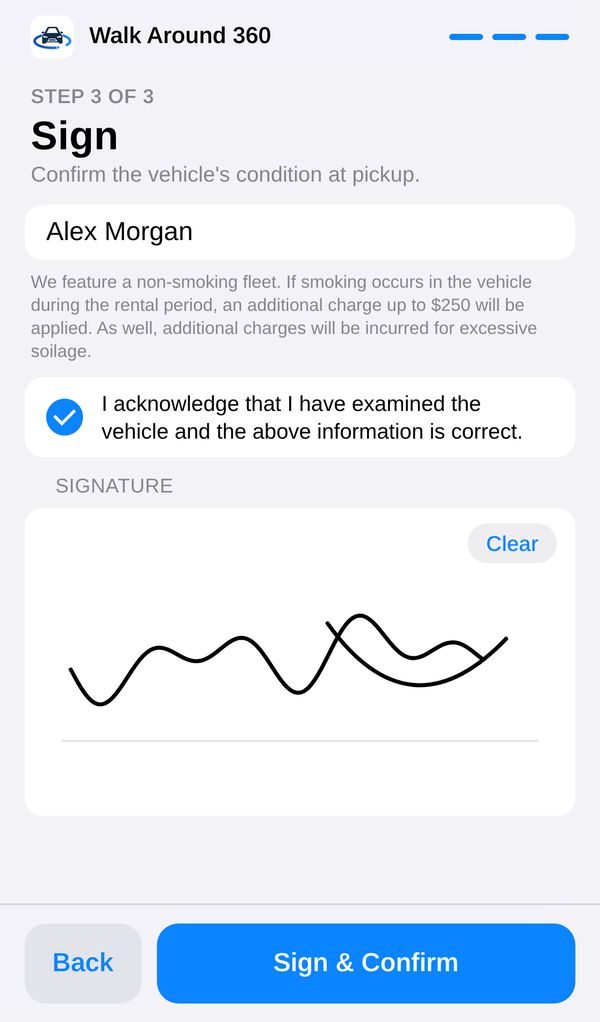
They review the latest photos, add their own photos and notes, and e-sign.
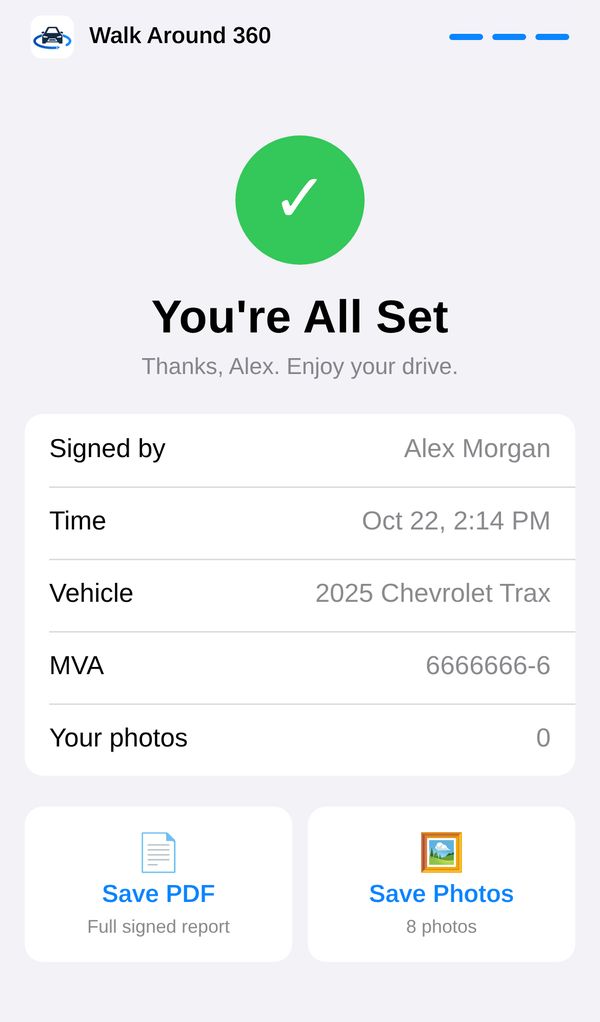
They save the PDF. Your store keeps a signed record.
The customer has 15 minutes to sign. After that, the agent's walk-around stands. No staff photos? The customer can add their own.
Save time on every shift. Catch new damage before it costs you.
Check-out vs. check-in
See the check-out and check-in photos side by side, angle by angle.
Customer signature
The customer signs to confirm the check-out photos. Saved with the car's report.
AI damage check + accident report
New photos are compared with the car's last ones, and new damage is flagged. Once a manager confirms it, the accident report fills itself in with what the app already has. Review it, then email it to claims.
Nothing goes to claims until a manager approves it.
Document scan
Scan insurance cards, driver's licenses, a third ID, work badges and more. Search by MVA, rental agreement number or customer name. Each document is tied to that car's photos from the same time.
Out-of-service board
Track cars by MVA, with the reason and the shop. At shop and Done tabs.
Lot scan
Count and check the vehicles on your lot.
Compare
Start with Basic today. Add Pro when it's ready.
Pricing
Basic is ready today. Pro is coming soon.
$9.99/month
Everything you need to protect your location.

For Agency Operators · up to 5 users per location
Run your whole lot.
Everything in Basic, plus:
Be first in line when Pro launches.
FAQ
No. Scan the MVA barcode and start taking photos. You can also type the MVA if you prefer.
The MVA, the date and time, and all the walk-around photos. In the app, photos are tagged with the MVA and time, so they're easy to find.
Scan the MVA barcode, or search by MVA, date or time.
No, you do. In Pro, the AI flags possible new damage for review. You decide if it's damage and whether to file anything.
No. In Pro, a manager confirms the damage first. The report fills itself in, and you review it before emailing it to claims.
Pro is coming soon. Get early access and we'll let you know.
Download Walk Around 360 from the App Store.
Get Basic on the App Store now. Be first in line for Pro.